When a hood cleaning company adds a second truck, a second shift, or a new technician, the reporting problem changes. The issue is no longer whether one person can write a good report. It is whether every crew can leave the same complete, defensible record after every job.
Standardized hood cleaning reports make the office faster, give customers a more consistent experience, and reduce the chance that a missing fan photo or vague deficiency note turns into a callback. The goal is not to make every technician write in the same voice. It is to make sure every customer receives the same essential proof: what was cleaned, what could not be accessed, what was found, and what happens next.
Use this hood cleaning crew checklist to build a reporting system that works across multiple trucks. For the field task sequence, pair it with the commercial kitchen hood cleaning checklist for crews. For the final document structure, start with the hood cleaning inspection report checklist and a sample hood cleaning report.
Why multi-crew hood cleaning reports become inconsistent
Most reporting inconsistency does not come from bad intent. It comes from crews using different memory aids, camera rolls, names for the same components, and ideas about what is worth noting.
One crew may photograph the fan bowl before and after every service. Another may photograph only the hood. One technician may write “missing access panel above rear cookline,” while another writes “needs access.” The office then has to translate, chase photos, and decide what the customer should be told.
That creates three avoidable risks:
- The customer receives reports with different levels of detail from the same company.
- The office spends time rebuilding the job after the crew has left.
- Important access limits or deficiencies are buried in notes instead of being clear in the customer record.
A standard report workflow fixes the handoff, not just the form. It tells crews what to capture, how to label it, when to flag an exception, and what must be ready before the job is closed.
Start with one non-negotiable report standard
Before asking crews to use a checklist, define the minimum report every completed job must produce. Keep it short enough to remember and specific enough that the office can review it quickly.
Every hood cleaning report should include:
- Customer, location, service date, work order, and onsite contact
- The hood system or cookline serviced, including the relevant exhaust fan
- Work completed and any areas excluded from scope
- Before-and-after photos for the hood, duct access, fan, and other applicable components
- Access limitations and inaccessible areas
- Deficiencies separated from completed work
- Current frequency, recommended next service, and any reason for a schedule change
- Technician completion note and customer acknowledgement when available
- A PDF or share link the customer can retrieve later
This is the company standard, not an optional ideal. A job can still have unique details, but it should never be missing the core record.
For a field-ready version, use the free hood cleaning photo checklist generator and hood cleaning report template generator.
Give every crew the same job-closeout sequence
The simplest way to standardize reports is to standardize the order of the work. A technician should not have to remember a different process for photos, notes, and customer handoff on every job.
Use the same closeout sequence for every truck:
- Confirm the job and system details before setup.
- Capture the required before photos.
- Record the scope and any initial access limits.
- Clean the approved accessible areas.
- Capture matching after photos before teardown.
- Record deficiencies and recommended next steps separately.
- Set the next-service recommendation.
- Review the report checklist before leaving.
- Capture customer acknowledgement or document the delivery contact.
- Submit the job for office review or customer delivery.
The sequence matters because it puts proof collection inside the job, not at the end of the night when a technician is trying to remember which camera-roll photo belongs to which fan.
Standardize photo requirements by component
Unlabeled photo folders are one of the most common causes of report rework. Standardize both the photo list and the labels so a reviewer knows what they are looking at without calling the crew.
At a minimum, define required photo pairs for the components that are in scope:
| Component | Before proof | After proof | Example label |
|---|---|---|---|
| Hood and plenum | Condition before cleaning | Same area after cleaning | Main cookline hood, after |
| Filters | Filter condition or buildup | Cleaned or replaced filters | Prep hood filters, after |
| Duct access | Opened access point and condition | Accessible section after cleaning | EF-1 vertical duct access, after |
| Exhaust fan | Fan bowl and blades before service | Bowl and blades after service | EF-1 fan bowl, after |
| Rooftop area | Grease condition or containment | Area after approved service | EF-1 curb and containment, after |
| Deficiency | Closeup before any work | Issue remains or follow-up state | EF-2 missing hinge hardware |
If a component is not accessible, the photo requirement does not disappear. Replace the usual after photo with a clear access-limitation photo and note why the work could not be completed.
For detailed photo angles, use the before-and-after hood cleaning photos guide. The right standard should give crews a repeatable list without forcing irrelevant photos on every job.
Use controlled names for systems and notes
Technicians should be able to describe an unusual condition in their own words. But the report should use controlled names for the basic pieces of the job.
Create a shared list for:
- Hood or cookline names:
Main cookline,Prep hood,Dishwasher hood - Fan IDs:
EF-1,EF-2, or the customer’s existing labels - Photo sections:
Hood,Duct access,Fan,Rooftop,Deficiency - Access status:
Accessible,Blocked,Missing panel,Unsafe,Customer declined - Deficiency categories:
Access,Fan hardware,Filters,Grease containment,Electrical concern,Structural concern - Service status:
Completed,Partially completed,Excluded from scope,Follow-up required
Controlled names make search, quality review, and customer conversations much easier. They also prevent a report from saying “roof fan,” “upstairs unit,” and “fan by loading dock” for the same piece of equipment across different visits.
Create a short deficiency-writing standard
Deficiency notes need more structure than normal technician notes because they often drive the next customer conversation. A technician should not have to write a code opinion. They need a factual way to say what they found, what it affected, and what the customer should do next.
Use this pattern:
Location or component: condition found. Service impact: what could not be verified, cleaned, or safely completed. Next step: practical recommended action.
For example:
EF-2 fan hinge hardware is missing. The fan could not be opened safely, so the fan bowl condition could not be verified or cleaned. Recommend approved hinge repair before the next service.
That is much more useful than “fan issue.” It separates the observed condition from the service limitation and gives the customer a clear decision.
For repeatable language, crews can use the free hood cleaning deficiency note generator. Keep the final report factual: it can support customer-ready documentation, but it should not promise compliance or substitute for the authority having jurisdiction.
Build quality control into the handoff
The office should not be the first place a report is checked. Add a 60-second crew review before the truck leaves, then use an office review only for the details that need a second set of eyes.
Crew review before leaving
The crew lead confirms:
- The correct customer and service location are selected
- Every serviced hood system is listed
- Required before-and-after photos are present or an access limitation is documented
- Deficiencies are in the deficiency section, not hidden in general notes
- The next service recommendation is recorded
- The customer contact and delivery method are ready
Office review before sending
The reviewer confirms:
- Photo labels match the correct hood system and fan
- Completion notes explain the scope in plain language
- Access limits and deficiencies are easy to find
- No report uses unsupported language such as “guaranteed compliant” or “fire marshal approved”
- The PDF or share link is branded, readable, and contains the next service information
Review trends, not just individual mistakes. If the office repeatedly finds missing fan photos, the solution is usually better crew training or a required fan-photo step, not another reminder email.
Train crews with one real report, then audit early jobs
The fastest way to teach the standard is to walk every crew through one completed report from a typical job. Show the before-and-after pairs, the system labels, an access note, a deficiency, and the finished customer PDF.
Then audit the first few reports from each technician or crew lead. Look for the same five things every time:
- Correct job and location details
- Complete system scope
- Required photo coverage
- Clear access and deficiency notes
- A usable customer handoff
Give feedback against the shared standard, not personal preference. “The fan before photo is missing from EF-1” is actionable. “This report needs to be better” is not.
After the initial rollout, spot-check a small sample of reports each week. That keeps the workflow strong when new technicians join, work volume increases, or crews start handling different types of kitchens.
Make the software enforce the useful parts
Good process comes first, but software can make that process easier to follow. The best hood cleaning report workflow does not simply store photos. It guides the crew from job details to systems, photos, deficiencies, next service, and customer handoff.
Look for a workflow that can:
- Require key job fields before a report is submitted
- Organize photos by system and component
- Keep deficiencies separate from completion notes
- Handle multiple hoods and fans at one location
- Flag missing information for review
- Produce a branded PDF and share link without office reformatting
- Keep a searchable report history for future service visits
For a broader buying guide, see what contractors should look for in hood cleaning report software. If your crews still use shared photo folders or a generic template, start with one standard checklist first; software should reinforce the workflow, not hide its gaps.
A practical rollout for a two-to-25-truck contractor
You do not need to change every crew process at once. Roll out the standard in three passes:
- Define the minimum report. Agree on required fields, photo sections, deficiency format, and customer handoff.
- Pilot it with one crew. Use a normal job, review the finished report, and remove confusing steps.
- Train, audit, and improve. Roll it out to the rest of the team, audit early reports, and fix recurring gaps in the checklist or form.
The result should be a report that looks like it came from one disciplined company, whether the job was completed by the owner, a night crew, or a new technician.
Final hood cleaning crew checklist
Before calling a multi-crew report process standardized, confirm that every crew can consistently provide:
- The same job, location, and system identifiers
- The same required photo coverage
- Clear notes for inaccessible areas
- A repeatable deficiency format
- A visible next-service recommendation
- A customer-ready PDF or share link
- A quick crew review and a practical office quality check
HoodCleaningReport helps kitchen exhaust cleaning contractors standardize the record after every job by turning field photos, notes, access limits, deficiencies, and customer acknowledgement into branded reports, PDFs, and share links.
You can review a sample report, try the hood cleaning report template, compare hood cleaning report software, view pricing, or create your first report when you are ready to make every truck’s closeout look consistent.
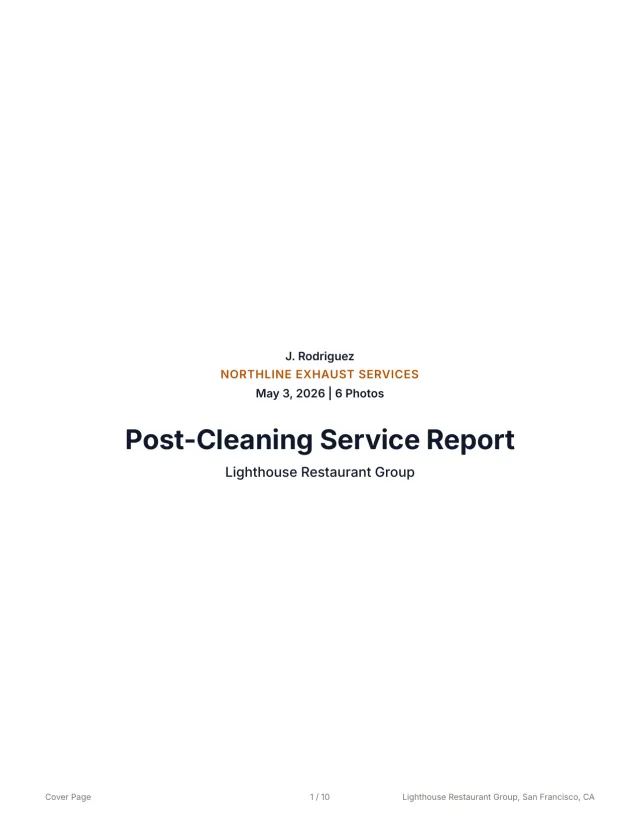 See a finished report The 10-page sample, the Certificate of Service, and the 3x5 sticker from one job.
 Related guides
Keep building the report record
Follow a kitchen exhaust cleaning documentation workflow from roof access and system scope to photos, deficiencies, service dates, and customer handoff.
Operations Hood Cleaning Job Closeout Checklist for ContractorsUse this hood cleaning job closeout checklist to verify photos, scope, deficiencies, next service dates, and customer report delivery before the crew leaves.
Operations Commercial Kitchen Hood Cleaning Checklist for CrewsUse this commercial kitchen hood cleaning checklist to standardize setup, hood, duct, fan, photos, deficiencies, frequency, signoff, and report handoff.
Send your next job as a finished report.
Your photos become a branded report, a Certificate of Service, and a 3x5 sticker, under one job number.
3 reports or 3 days free. No card.