Hood cleaning report software should help contractors turn field photos, service notes, deficiencies, and customer signoff into a finished report without rebuilding the job in the office.
The right system is not just a photo folder or a generic form builder. It should make every crew collect the same proof, label the same exhaust systems, document the same access limits, and send the customer a record that is easy to forward to a fire marshal, insurer, property manager, or facilities team.
Use this guide when comparing hood cleaning software, PDF templates, job management tools, and manual report workflows. If you want the product path, start with the hood cleaning report software page. If you need a working document first, use the free hood cleaning report template generator, review the NFPA 96 report documentation guide, or compare a sample hood cleaning report PDF.
Test the field-to-PDF workflow with one completed job. HoodCleaningReport includes 3 reports or 3 days with no card. Create a report from your next completed job and compare it with the process you use now.
Best hood cleaning report software: 7 features to compare
The best hood cleaning report software for a contractor is the system that removes office reconstruction without weakening the customer record. It should use the photos and notes the crew already captured, make missing fields obvious before publish, and produce a PDF or link a restaurant manager can understand without another phone call.
Compare these seven capabilities in this order:
| Priority | Feature | Pass test | Common failure |
|---|---|---|---|
| 1 | Report-ready photo workflow | Imports or captures multiple photos, preserves job context, and groups images by system and component | The office uploads one photo at a time or receives an unlabeled camera roll |
| 2 | Hood-specific report structure | Separates hood, filters, plenum, duct, fan, rooftop area, access limits, and deficiencies | A generic work-order note has to carry the whole service record |
| 3 | Required-field review | Shows missing service details, signatures, photos, and next-service fields before publish | The PDF is sent first and corrected after a customer notices a blank field |
| 4 | Deficiency and access notes | Keeps unresolved items separate from completed cleaning work and attaches supporting photos | “No access” or “fan problem” appears without location, impact, or next action |
| 5 | Customer-ready output | Produces a branded, forwardable PDF and a recipient link that works without another account | Customers receive a folder, zip file, or portal invitation they cannot open |
| 6 | Searchable history | Finds past records by customer, site, service date, and report type | The office searches email threads whenever a GM or AHJ asks for an old report |
| 7 | Workflow-fit pricing | Matches real monthly report volume, seats, overages, and branding needs | A low entry price becomes expensive after adding field users, PDFs, or storage |
Do not score a product from its feature page alone. Build one report from a completed job, time the field-to-PDF workflow, and count every manual handoff. A useful trial exposes the hidden work.
Start with the report your customer needs
Before comparing features, define the report the customer should receive after each job.
A complete hood cleaning report should answer:
- Which location and hood system was serviced?
- What areas were inspected?
- What areas were cleaned?
- What could not be accessed?
- What deficiencies were found?
- What photos prove the before-and-after condition?
- When is the next recommended service?
- Who completed and acknowledged the work?
If a tool cannot produce that record clearly, it may still be useful for scheduling or storage, but it is not enough as the main reporting workflow.
For a detailed field list, use the hood cleaning inspection report checklist.
Require photo workflows built for exhaust cleaning
Photos are the most visible part of the report. Software should make it hard for crews to forget the fan, duct access, rooftop grease area, or deficiency closeups.
Look for photo capture that supports:
- Before-and-after pairs
- Hood, plenum, duct, fan, rooftop, and deficiency sections
- Captions tied to the correct system
- Multiple hood systems at one location
- Missing or inaccessible area photos
- Office review before sending
- PDF placement that keeps photos understandable
Generic photo uploads are not enough. A folder full of unlabeled pictures still leaves the office guessing which fan, cookline, or access panel each image belongs to.
For crew training, pair the software with a repeatable before-and-after hood cleaning photos checklist.
Make deficiency notes easy to write
Deficiencies are where weak reports usually fail. The software should give technicians a consistent way to describe what they found and what the customer needs to do next.
Common deficiency fields include:
- Location or component
- Condition found
- Photo evidence
- Customer impact
- Recommended next step
- Follow-up required
- Whether the item was outside the approved cleaning scope
Good note:
EF-2 fan hinge hardware is missing. Fan could not be opened safely, so fan bowl condition could not be verified. Recommend approved hinge repair before next service.
Weak note:
Fan problem.
The first note gives the customer a clear issue to approve, repair, or discuss with the authority having jurisdiction. The second note creates another phone call.
For manual workflows or crew training, the free hood cleaning deficiency note generator can turn common issues like missing access panels, fan problems, rooftop grease, and inaccessible areas into clearer report language.
Support NFPA 96 documentation without overclaiming
Hood cleaning report software can help document service work against recognized kitchen exhaust cleaning expectations, but it should not encourage overclaims.
Avoid software language that pushes crews to say:
- “Guaranteed compliant”
- “NFPA approved”
- “Certified fire safe”
- “No further inspection required”
Prefer factual documentation fields:
- Areas cleaned
- Areas inspected
- Access limitations
- Deficiencies observed
- Photos attached
- Next service recommended
- Customer acknowledgement
The current NFPA 96 standard, local authority requirements, and customer rules still matter. The software’s job is to help contractors produce clear service records, not replace the standard or the authority having jurisdiction.
For careful wording, read NFPA 96 hood cleaning requirements: what contractors need to document.
Check the PDF and share-link experience
Customers should not need a login, a zip file, or a long explanation to understand the report.
Before choosing software, test the actual output:
- Is the PDF branded with your company?
- Are photos placed near the relevant notes?
- Are deficiencies easy to find?
- Does the report include the next service date?
- Can the customer download and forward it?
- Does the share link work for property managers and corporate teams?
- Can your office resend the report later without hunting through messages?
The PDF is often the file that ends up in the restaurant’s inspection binder, a facilities portal, or an insurer’s email thread. Treat it as the product of the workflow, not an afterthought.
You can compare against this sample hood cleaning report PDF.
Look for multi-crew consistency
If two technicians write reports in completely different ways, the office will keep fixing reports manually.
Software should standardize:
- Required job fields
- Photo sections
- Component names
- Deficiency categories
- Next service recommendations
- Customer acknowledgement
- Final report review
This matters most for contractors with multiple trucks, night crews, or office staff who prepare reports the morning after service. The best workflow makes the report predictable before the crew leaves the job.
Use the commercial kitchen hood cleaning checklist for crews as a baseline for field consistency.
Hood cleaning report software alternatives
Dedicated report software is not the only workable option. The right alternative depends on job volume, the customer record, and who assembles the final PDF.
| Alternative | Best fit | What it handles well | Hidden work to test |
|---|---|---|---|
| Word or Google Docs template | One-truck operator sending occasional reports | Flexible text and familiar editing | Photo placement, repeated job details, version control, and manual delivery |
| Fillable PDF or form builder | Teams with a fixed field list and simple output | Consistent questions and signatures | Multi-system photos, deficiency layout, revisions, and searchable history |
| CompanyCam alone | Crews already capturing organized field evidence | Project photos, tags, timestamps, captions, and creator context | Turning the photo set into scope, exceptions, signoff, and a customer-ready report |
| Virtual assistant or office writer | Contractor that wants people to own the final formatting | Flexible cleanup and human review | Queue time, per-report cost, rework, missing context, and after-hours handoff |
| General field-service platform | Teams prioritizing scheduling, dispatch, invoicing, and CRM | End-to-end job operations | Hood-specific report fields, photo pairings, access limits, and recipient output |
| Dedicated hood cleaning report software | Teams sending a structured report after most jobs | Repeatable evidence-to-PDF workflow and retained records | Crew adoption, integration fit, output quality, limits, and actual cost per report |
If you only send one or two reports a month, a template may be enough. If reports are part of every job, the software should pay for itself by reducing office time, report delays, and customer follow-up.
Compare the closeout, not the feature list
When comparing HoodCleaningReport, KitchenPermit, CompanyCam, or a manual document workflow, run the same completed job through each option. The useful comparison is the customer handoff, not the number of checkboxes on a pricing page.
| Workflow test | Manual Word/PDF | CompanyCam alone | Dedicated reporting workflow |
|---|---|---|---|
| Turn photos into a customer-readable scope | Office assembles it | Team explains it separately | Review the drafted report before publish |
| Separate completed work from access limits | Easy to miss in free text | Notes and photos can be separate | Keep the note and supporting evidence together |
| Send a professional closeout | Manual export and email | Share a project or export | Branded PDF and recipient handoff workflow |
| Find the record after the job | Search folders and email | Search project history | Searchable service record workflow |
Ask each vendor to let you build one real closeout using your own photos. Time the work from the last field photo to the customer-ready report, then count what your office still has to rebuild. This guide does not rank vendors; it gives you a repeatable test for the outcome you are buying.
This page is an evaluation guide published by HoodCleaningReport, so treat the product section below as a disclosed self-assessment. The comparison criteria above apply to us too. Use the trial to verify the workflow with your own photo set.
Ask these questions before buying
Use these questions on a demo or trial:
- Can a technician create the report from a phone in the field?
- Can the report handle multiple hood systems in one location?
- Can photos be labeled by system and component?
- Can deficiencies be separated from completed-work notes?
- Can the customer receive both a PDF and a share link?
- Can the office review before sending?
- Can reports be searched later by customer, location, or service date?
- Does the pricing make sense for the number of reports you send?
- Does the workflow help document service without promising compliance?
Do not stop at screenshots. Create one real report from a recent job and see how much editing the office still has to do.
When HoodCleaningReport fits
HoodCleaningReport is built for kitchen exhaust cleaning contractors who need customer-ready reports after service.
It helps turn:
- Job details
- Crew notes
- Before-and-after photos
- Access limitations
- Deficiencies
- Service frequency
- Customer acknowledgement
Into branded reports, PDFs, share links, and searchable customer history.
Use it when you want the report workflow to match how hood cleaning jobs actually close out: from the hood, to the roof, to the customer record.
You can compare the hood cleaning report software, review a sample report, view pricing, or create a hood cleaning report from your next completed job.
Final checklist
Before choosing hood cleaning report software, confirm it can produce the record your customer, office, and inspector may need later.
The software should:
- Capture before-and-after photo evidence
- Separate completed work from deficiencies
- Document access limits clearly
- Support careful NFPA 96 documentation language
- Produce a branded PDF
- Provide a customer share link
- Make reports searchable after the job
- Reduce office rework
- Keep every crew using the same report structure
HoodCleaningReport builds customer-ready reporting software for kitchen exhaust cleaning contractors. It turns job photos, cleaning notes, deficiencies, access limits, service frequency, and signoff into branded reports, PDFs, client share links, and customer-ready records.
Hood cleaning report software FAQ
What is hood cleaning report software?
Hood cleaning report software turns kitchen exhaust job details, photos, cleaning scope, access limitations, deficiencies, service dates, and signoff into a customer-facing service record. Dedicated software should produce a PDF or share link and keep the record searchable after delivery.
Is CompanyCam a replacement for hood cleaning report software?
CompanyCam is strong at organizing field photos, tags, captions, timestamps, and project context. A contractor may still need a reporting step that explains what was cleaned, what was inaccessible, what remains deficient, who acknowledged the work, and what the customer should do next.
Can a free template replace report software?
A free template can work when report volume is low and one person owns every file. Software becomes more useful when several crews need the same required fields, photo groups, deficiency format, branded PDF, delivery process, and searchable history.
How should contractors compare hood cleaning software pricing?
Compare the total monthly cost at your real report volume. Include required seats, overages, branding, photo or storage limits, PDF export, customer delivery, integrations, and the office time still required after the crew submits the job.
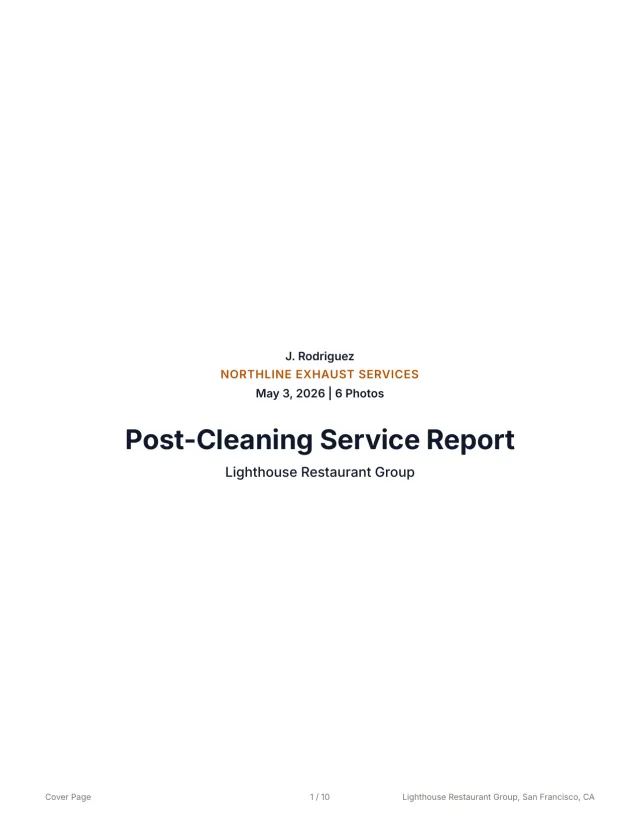 See a finished report The 10-page sample, the Certificate of Service, and the 3x5 sticker from one job.
 Related guides
Keep building the report record
Write missing access panel report notes that document inaccessible ducts, photo evidence, deficiencies, customer next steps, and customer-ready records.
Reporting Restaurant Hood Cleaning Report Template for Multi-Location AccountsUse this restaurant hood cleaning report template to document store details, hood systems, photos, deficiencies, service dates, PDFs, and account handoff.
Reporting Kitchen Exhaust Cleaning Report ExamplesUse kitchen exhaust cleaning report examples to structure job details, before-and-after photos, access notes, deficiencies, signoff, PDFs, and handoff.
Send your next job as a finished report.
Your photos become a branded report, a Certificate of Service, and a 3x5 sticker, under one job number.
3 reports or 3 days free. No card.