This NFPA 96 hood cleaning report documentation guide explains how to record what was cleaned, what was inspected, what could not be accessed, and what the customer needs to do next. If you need a working document, start with the free hood cleaning report template generator and return here for field-by-field guidance.
The report is not a promise that a kitchen is compliant in every possible way. It is a service record that supports customer-ready documentation for restaurant operators, facility managers, insurers, and authorities having jurisdiction.
Use this guide to review the documentation behind a consistent kitchen exhaust cleaning report. For broader standards context, read NFPA 96 hood cleaning requirements and the commercial kitchen hood code requirements checklist. For a job-level field checklist, start with the hood cleaning inspection report checklist.
NFPA 96 report documentation fields
A complete report should be easy to scan months after the service date. Structure it in sections so a customer, inspector, or office manager can find the proof they need without searching through loose photos or text messages.
Include these sections:
- Job and customer details
- Exhaust system scope
- Inspection findings
- Cleaning work completed
- Before-and-after photo evidence
- Access panel and inaccessible-area notes
- Deficiencies and recommended next steps
- Cleaning frequency and next service date
- Technician notes
- Customer acknowledgement
- PDF download or permanent share link
If the location has multiple hood systems, repeat the core sections for each system. Do not force the reader to guess which fan, duct, or cookline a note belongs to.
The free kitchen exhaust hood cleaning report template creates a copy-ready outline and PDF preview with photo prompts, access notes, deficiencies, dates, and signoff fields. Before the job, use the NFPA 96 inspection checklist to plan the field record.
If a customer asks for a one-page proof-of-service document, read hood cleaning certificate vs service report before replacing the full report with a short certificate.
Keep one report structure across field terminology
Customers and contractors use several phrases for the same record:
- Hood cleaning report template
- Commercial hood cleaning report
- Commercial kitchen hood cleaning report
- Kitchen exhaust cleaning report
- Hood cleaning report PDF
- Free hood cleaning report
- Free kitchen exhaust cleaning report
Do not split those terms into separate thin documents. Use the free hood cleaning report template as the primary working document and use this guide to check the fields behind it. The final PDF should still include the same proof: scope, photos, access notes, deficiencies, cleaning frequency, signoff, and customer handoff.
Job and customer details
Start with the identifiers that make the report easy to file and retrieve later:
- Customer name
- Service location name
- Full service address
- Onsite contact
- Service date
- Arrival and completion time
- Technician or crew name
- Work order, invoice, or job number
- Service type, such as routine cleaning, inspection, re-clean, or deficiency follow-up
For multi-location restaurant groups, include the store number or location ID. That one field prevents confusion when several kitchens share a brand name, city, or property manager.
Exhaust system scope
The report should state exactly which exhaust system was serviced. A useful scope section names the system before it describes the work.
Document:
- Hood line, cookline, or system name
- Number of filters
- Fan location or roof position
- Duct access points used
- Areas inspected
- Areas cleaned
- Areas excluded from service
- Customer-approved work limits
When a location has a main cookline, prep hood, and dishwasher hood, separate the documentation by system. A single combined note can create problems when a fire marshal asks whether one specific duct or fan was cleaned.
Inspection findings
Inspection findings should describe what the crew observed before and during service. Keep this separate from completed cleaning work.
Include:
- Visible grease accumulation
- Areas found in acceptable condition
- Damaged, missing, leaking, or unsafe components
- Fan, hinge, access, or containment issues
- Areas that could not be inspected
- Photos that support the condition found
Use factual language. “Heavy grease observed in fan bowl before service” is stronger than “bad fan” because it says what was found and where.
Cleaning work completed
The completed-work section should prove the actual service, not just say “cleaned.”
List the components serviced:
- Hood interior and plenum
- Filters
- Grease troughs and cups
- Horizontal or vertical duct access points
- Exhaust fan bowl
- Fan blades
- Fan curb
- Rooftop grease area
- Grease containment when included in scope
Tie the written note to the photos. If the report says the fan was cleaned, the photo section should include before-and-after fan images with labels.
Before-and-after photo evidence
Photos are often the strongest part of a hood cleaning report. They show condition, progress, and completion in a way that short notes cannot.
Capture before-and-after photos of:
- Hood plenum
- Filters
- Duct access openings
- Exhaust fan bowl
- Fan blades
- Fan curb
- Rooftop grease conditions
- Grease containment
- Deficiencies
- Inaccessible or unsafe areas
Label every image by system and component. “Main cookline fan bowl after cleaning” is more useful than an unlabeled upload or a timestamp alone.
Access panels and inaccessible areas
Inaccessible areas need their own section because they explain what your crew could not verify or clean.
Common access notes include:
- Missing access panels
- Access panels blocked by equipment
- Concealed duct sections with no approved access
- Locked roof access
- Exhaust fan that could not be safely opened
- Unsafe ladder, roof, or electrical conditions
- Customer-declined access or repair work
Write each note so the customer can act on it:
Rear cookline duct section above ceiling could not be inspected or cleaned because no access panel was available. Recommend approved duct access before the next service.
That note identifies the area, explains the limit, and gives the customer a next step without overstating the code conclusion.
For copy-ready access language, use the guide to documenting missing access panels in a hood cleaning report.
Deficiencies and recommendations
Deficiencies should be easy to find. Do not bury them in general technician notes.
For each deficiency, include:
- Component or location
- Condition found
- Photo evidence
- Operational concern
- Recommended next step
- Whether follow-up service is required
Examples include missing access panels, damaged filters, leaking access panels, roof grease containment issues, unsafe fan conditions, and heavy grease in areas outside the approved scope.
Separate observation from recommendation. The report should make clear what your crew completed and what the customer needs to repair, approve, or schedule.
Cleaning frequency and next service date
The report should include the current cleaning interval and the recommended next service date. If the recommendation changes, explain why in plain language.
Frequency notes often mention:
- Current service interval
- Recommended next service date
- Cooking volume observed during the job
- Solid fuel, charbroiler, wok, or 24-hour operation notes
- Seasonal or school-year schedule changes
- Customer or local AHJ requirements when stricter than the normal schedule
Do not leave the next service recommendation trapped in a separate email. Put it in the report so the customer can find it later.
Technician notes and customer signoff
Technician notes should summarize the service in clear language:
- “Cleaned hood plenum, filters, vertical duct access, fan bowl, fan blades, and curb.”
- “Heavy grease found in fan bowl before service. Photos attached.”
- “Rear duct access panel missing. Deficiency documented.”
Avoid weak notes like “done” or “cleaned system.” Those notes create follow-up work when a customer or inspector asks what happened.
Finish the report with:
- Technician completion acknowledgement
- Customer or onsite contact acknowledgement
- Report issue date
- Contractor contact information
- PDF download or permanent share link
The best report is the one your customer can quickly send when an inspector, insurer, property manager, or corporate facilities team asks for proof.
Sample hood cleaning report handoff
A professional handoff should give the customer a record they can store, forward, and understand without calling your office.
At minimum, send:
- A branded report PDF
- A share link for the customer or facility manager
- Before-and-after photos inside the report
- Deficiency notes with recommended next steps
- Next service recommendation
- Contractor contact information
You can review a sample hood cleaning report PDF or compare the hood cleaning report software workflow to see how photo evidence, job details, and service notes can fit into one customer-ready document.
What not to claim
Be careful with compliance language. A report can support documentation, but it should not promise more than it proves.
Avoid claims like:
- “NFPA certified”
- “Guaranteed compliant”
- “Approved by NFPA”
- “No further inspection needed”
- “This replaces the standard”
Use defensible language instead:
- “Documents the completed service”
- “Supports customer-ready records”
- “Identifies inaccessible areas and deficiencies”
- “Helps the customer keep a clear service record”
- “Confirm current requirements with the authority having jurisdiction”
NFPA requirements and local enforcement can change. When the report cites code-sensitive details, confirm them against the current standard and the local authority having jurisdiction.
Final report checklist
Before sending the report, confirm it includes:
- Job and customer details
- Exhaust system scope
- Inspection findings
- Cleaning work completed
- Before-and-after photos
- Access panel notes
- Inaccessible areas
- Deficiencies and recommendations
- Cleaning frequency and next service date
- Technician notes
- Customer signoff
- PDF or share link
If any of those pieces are missing, the report is harder to defend.
HoodCleaningReport builds customer-ready reporting software for kitchen exhaust cleaning contractors. It turns job photos and field notes into branded service reports, PDFs, and client share links so every crew can close out work the same way.
You can also build the free report template, review a sample hood cleaning report PDF, compare hood cleaning report software, or create your first report.
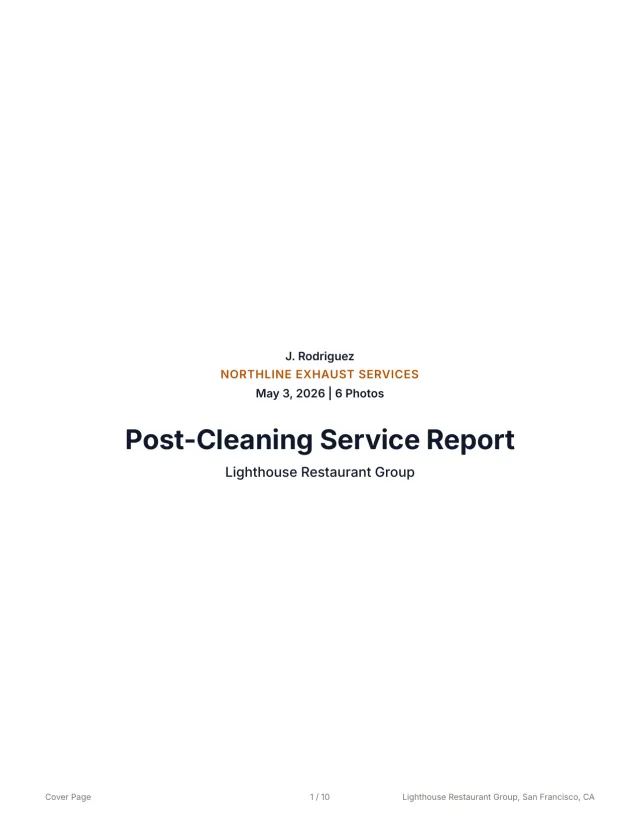 See a finished report The 10-page sample, the Certificate of Service, and the 3x5 sticker from one job.
 Related guides
Keep building the report record
Write missing access panel report notes that document inaccessible ducts, photo evidence, deficiencies, customer next steps, and customer-ready records.
Reporting Restaurant Hood Cleaning Report Template for Multi-Location AccountsUse this restaurant hood cleaning report template to document store details, hood systems, photos, deficiencies, service dates, PDFs, and account handoff.
Reporting Kitchen Exhaust Cleaning Report ExamplesUse kitchen exhaust cleaning report examples to structure job details, before-and-after photos, access notes, deficiencies, signoff, PDFs, and handoff.
Send your next job as a finished report.
Your photos become a branded report, a Certificate of Service, and a 3x5 sticker, under one job number.
3 reports or 3 days free. No card.