A hood cleaning inspection report should prove what your crew cleaned, what they found, what they could not access, and what the customer needs to do next.
It is not just a receipt. It is the record the restaurant manager, facility director, insurance contact, or fire marshal may ask for later. If the report is vague, your office gets the follow-up call. If the report is specific, the job is easier to defend.
Use this checklist to build a report that holds up after the crew leaves.
If you want a generated structure before writing the report, use the free hood cleaning report template generator for copy-ready sections, photo prompts, deficiencies, access notes, and signoff fields.
Before the crew starts, generate an NFPA 96 hood cleaning checklist for the job’s system areas, photo prompts, access notes, and customer handoff tasks.
If you want to see the finished handoff format first, review the sample hood cleaning report PDF.
If the customer asks for a certificate instead of a full report, compare the two in hood cleaning certificate vs service report before deciding what to send.
Job details
Start with the fields that identify the job without opening another system:
- Customer name
- Service location name
- Full service address
- Onsite contact
- Service date
- Arrival and completion time
- Technician or crew name
- Work order, invoice, or job number
- Service type
For multi-location restaurant groups, include the store number or location ID. That small field prevents confusion when the same brand has several nearby kitchens.
System scope
The report should say exactly which exhaust system was serviced. Do not make the customer guess which hood line the photos belong to.
Include:
- Hood or cookline name
- Number of filters
- Fan location
- Duct access points used
- Areas cleaned
- Areas excluded from service
- Any system labels used onsite
If a location has a main cookline, prep hood, and dishwasher hood, document each system separately. One combined note creates confusion during inspections.
Before-and-after photos
Photos are the strongest proof in most hood cleaning reports. Capture the same areas before and after the work so the customer can compare condition clearly.
At minimum, document:
- Hood plenum
- Filters
- Duct access openings
- Exhaust fan bowl
- Fan blades
- Fan curb
- Rooftop grease conditions
- Grease containment
- Problem areas or inaccessible areas
Use captions. A photo labeled “Fan bowl after cleaning” is stronger than an unlabeled image buried in a folder.
For a deeper field list, use the before-and-after hood cleaning photos checklist or generate a job-specific hood cleaning photo checklist to standardize fan, duct, rooftop, and deficiency photos across crews.
Access notes
Access issues need their own section. If the crew could not fully clean part of the system, the report should explain why.
Common access notes include:
- Missing access panels
- Access panels blocked by equipment
- Locked roof access
- Unsafe fan condition
- Inaccessible duct sections
- Electrical or structural concerns
- Customer declined access or repair work
Keep the language factual. Write what prevented access, what area was affected, and what action the customer should take.
Deficiencies
Deficiencies should be separated from completed work. The report should not bury them in general technician notes.
For each deficiency, include:
- Location
- Condition found
- Photo evidence
- Risk or operational concern
- Recommended next step
- Whether follow-up service is required
Example:
Missing access panel above rear cookline. Crew could not verify or clean the concealed duct section from that point. Recommend installing an approved access panel before the next service.
That kind of note is clear. It protects the contractor and gives the customer a specific action.
If your crew needs help wording the note, use the free hood cleaning deficiency note generator to create customer-friendly language, technical detail, a photo caption, and a follow-up recommendation.
For a final completeness check, use the commercial kitchen exhaust documentation grader to identify missing scope, access, photo, deficiency, frequency, or customer-handoff evidence before the report is delivered.
Cleaning frequency
Include the current service frequency and recommended next service date.
The report should make the frequency decision visible, especially for high-volume kitchens, solid-fuel cooking, charbroilers, wok lines, schools, hospitals, and seasonal operations.
Document:
- Current frequency
- Recommended next service date
- Reason for any frequency change
- Customer approval if the schedule changes
Do not leave the next service date trapped in a separate email. Put it in the report.
Technician notes
Technician notes should explain the work in plain language. They should not become a dumping ground for every observation.
Good notes are specific:
- “Cleaned hood plenum, filters, vertical duct access, fan bowl, fan blades, and curb.”
- “Heavy grease found in fan bowl before service. Photos attached.”
- “Rear duct access panel missing. Deficiency documented.”
Weak notes create problems:
- “Done.”
- “Cleaned system.”
- “Needs work.”
If a customer reads the report six months later, the notes should still make sense.
Customer signoff
Finish with a clear signoff section:
- Technician completion acknowledgement
- Customer or onsite contact acknowledgement
- Date and time issued
- Contractor contact information
- PDF download or permanent share link
Signoff does not replace good documentation, but it helps close the job cleanly.
Final checklist
Before sending the report, confirm it includes:
- Job and location details
- System scope
- Before-and-after photos
- Access notes
- Deficiencies
- Cleaning frequency
- Technician notes
- Customer signoff
- PDF or share link
If any of those sections are missing, the report is harder to defend.
For fire marshal and AHJ handoff language, read what fire marshals look for in a hood cleaning report.
Build reports the same way every time
HoodCleaningReport helps kitchen exhaust cleaning contractors turn job photos and field notes into branded service reports, PDFs, and client share links.
It is built for contractors who want every crew to produce a report that looks professional, reads clearly, and gives customers the documentation they need when an inspector asks. See the hood cleaning report software workflow to compare the product path with the field checklist.
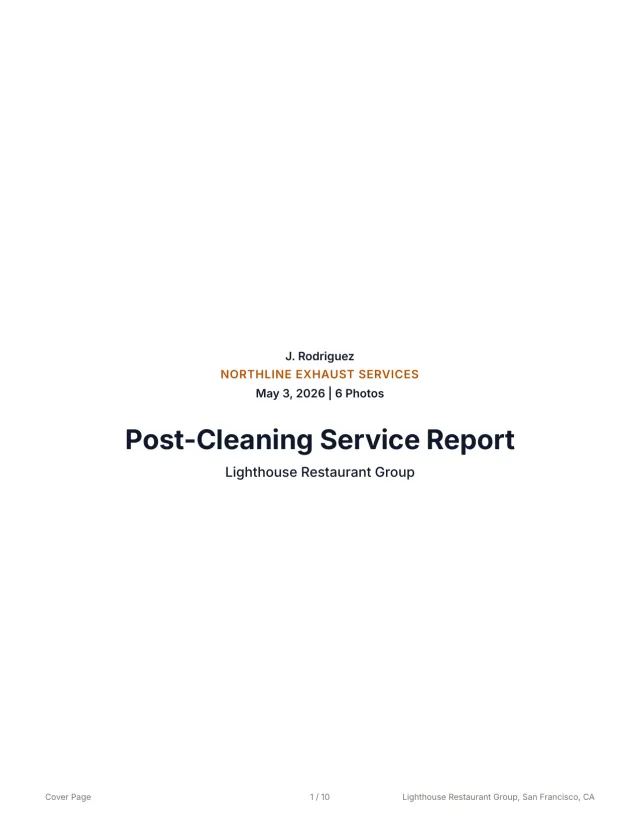 See a finished report The 10-page sample, the Certificate of Service, and the 3x5 sticker from one job.
 Related guides
Keep building the report record
Write missing access panel report notes that document inaccessible ducts, photo evidence, deficiencies, customer next steps, and customer-ready records.
Reporting Restaurant Hood Cleaning Report Template for Multi-Location AccountsUse this restaurant hood cleaning report template to document store details, hood systems, photos, deficiencies, service dates, PDFs, and account handoff.
Reporting Kitchen Exhaust Cleaning Report ExamplesUse kitchen exhaust cleaning report examples to structure job details, before-and-after photos, access notes, deficiencies, signoff, PDFs, and handoff.
Send your next job as a finished report.
Your photos become a branded report, a Certificate of Service, and a 3x5 sticker, under one job number.
3 reports or 3 days free. No card.