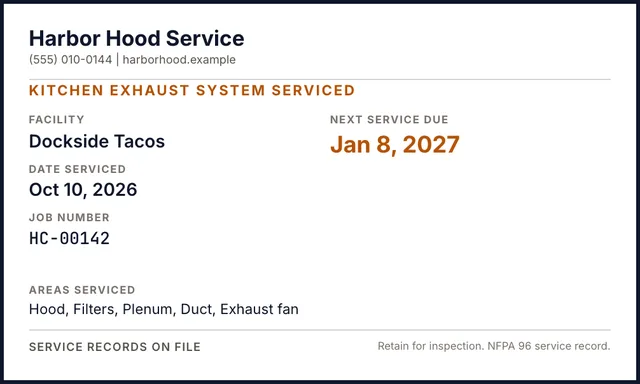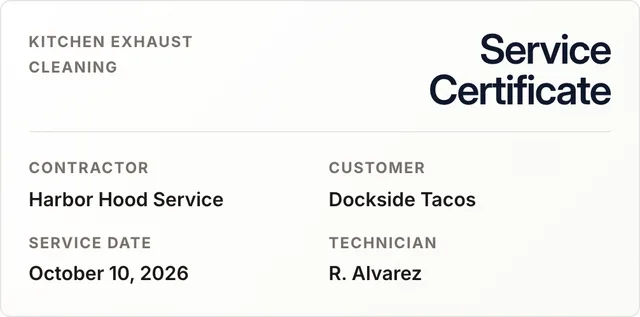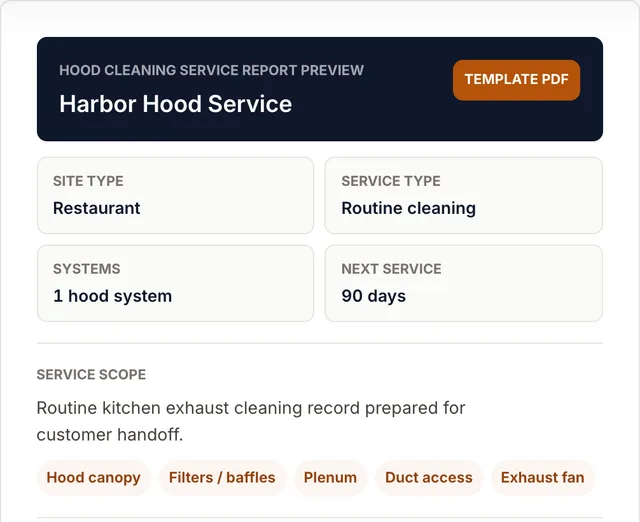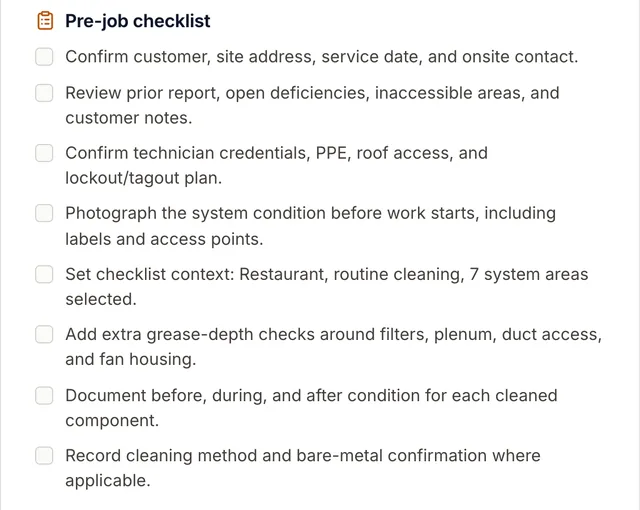
Hood cleaning report software for kitchen exhaust contractors

Create inspection-ready hood cleaning reports before the truck is back.

Pull in the CompanyCam photo set, generate the branded PDF, and send a service record to the GM and AHJ before the crew is back at the shop. No retyping. No VA queue.

Create my first report Book a demo

Free trial: 3 reports or 3 days. No card required.

CompanyCam OAuth
NFPA 96 fields included
ANSI/IKECA C10 fields

CompanyCam photos in -> inspection-ready report out.

Service Ticket
No. 0214
ClientLighthouse Restaurant
Address
Date5/3
Tech
Cooking type
Next service
Tech sig
Client sig
NFPA 96 2024 edition
ANSI/IKECA C10 Chapter 11
IKECA CECT Cert numbers on PDF
FDNY P-64 Dedicated fields
MA State Fire Marshal Dedicated fields
CompanyCam OAuth connection
NFPA 96 baseline in every report you publish

50 states + DC are wired into the contact and licensing forms. State-specific fields cover known license labels like FDNY W-64/P-64 and Massachusetts State Fire Marshal certificates. Local AHJs can ask for more, so HCR builds the packet without pretending to replace local approval.

Standards references are report fields and documentation aids. HoodCleaningReport does not certify work, guarantee acceptance, or replace your AHJ, fire marshal, insurer, or legal advisor.

After the visit, paperwork is the bottleneck

The truck is back at the shop. The hood cleaning report is still on a VA's desk.

Three documentation failures that slow signoff, payment, and follow-up work.

Problem 01 3 days late

The post-clean hood cleaning report sits 3 days after the visit.

The clean is done. The PDF is not. That delay slows sign-off and payment.

Click to see the fix
How HCR solves it

Build from the CompanyCam set. Same shift.

  • PDF generated from the CompanyCam set
  • Same-shift PDF for GM and AHJ
  • No VA queue or retyping
2024 NFPA 96 §11.4.13 timing
Problem 02 A week of lost bids

The proposal waits behind the inspection write-up.

No inspection PDF means no proposal. Follow-up waits while the bid cools.

Click to see the fix
How HCR solves it

Build the inspection report. Same shift.

  • Inspection report built from the site photo set
  • Proposal can ship the next morning
  • Condition, frequency, and recommendations included
Inspection report. Proposal. Same shift.
Problem 03 $20 per report

The VA still misses fields. And you still pay per report.

Missing fields turn a finished job into a callback and another review pass.

Click to see the fix
How HCR solves it

The builder fills the boilerplate. You review, not retype.

  • Required fields visible before publish
  • Scope and deficiency blocks stay structured
  • Flat plan, no per-report VA markup
2024 NFPA 96 §11.4.13 structured by default
From the field

Built for the contractor who has to defend the report.

Every block, every section reference, every required field came out of ride-alongs with kitchen-exhaust crews. The software follows the job: photos, scope, deficiencies, signoff, PDF, and Vault history.

2024 NFPA 96
ANSI/IKECA C10
CompanyCam OAuth
What that buys you
  • 01
    Built around real hood cleaning reports Scope, deficiencies, standards references, §11.4.13 label. Structured for AHJ review, not a generic form.
  • 02
    Vault built around the GM workflow One link, full history, no login. The way GMs and AHJs already ask for reports, just without the email chain.
  • 03
    CompanyCam wired up to the photo set you shoot today EXIF, GPS, and creator preserved. No re-uploads, no second app, no extra step for the tech in the field.
50 + DC states wired up
Scope checklist included
NFPA 96 + IKECA C10 report fields in every PDF
Forever vault report retention
How it works

CompanyCam photos in. Finished PDF in the GM inbox.

Three product states: tagged photos, a reviewed report, and a sent PDF.

Before · 08:14Report
After · 11:28Bare metal
HoodCleaningReportPOS-0214
Service ReportLighthouse Restaurant
Scope complete Photo evidence attached NFPA 96 fields included
01

Capture

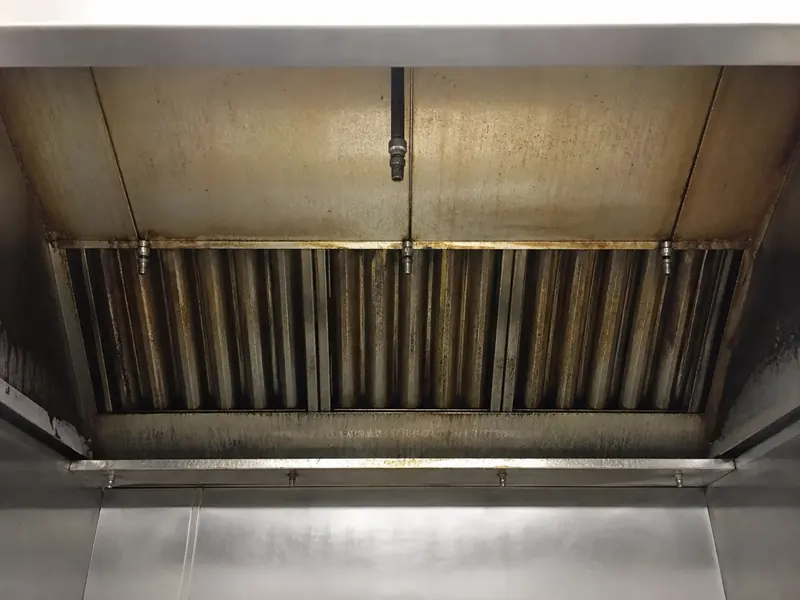
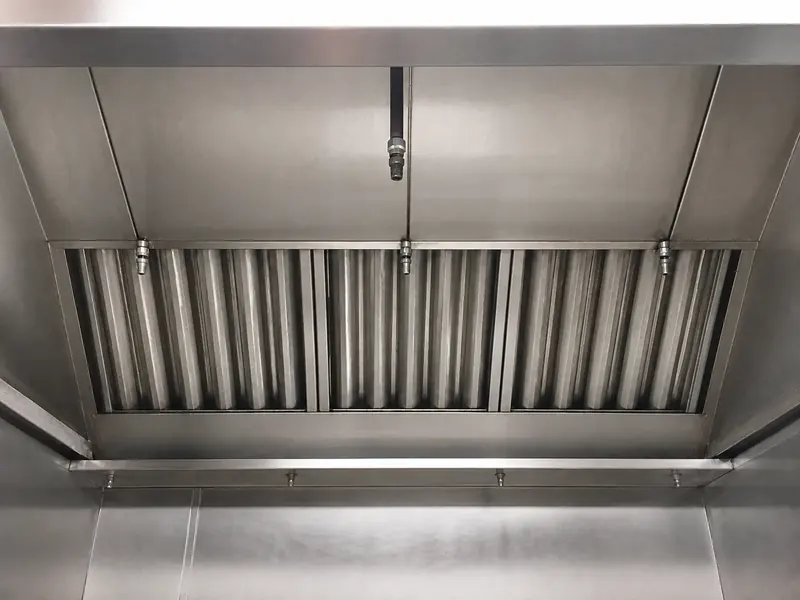
Shoot before and after in CompanyCam. The report keeps the timestamp, GPS, creator, and Report tag.

  • EXIF preserved
  • GPS preserved
  • Creator preserved
CompanyCam · Lighthouse Restaurant4 photos · synced
Before
08:1437.7798, -122.39
Report
After
10:4237.7798, -122.39
Report
Before
08:2137.7798, -122.39
Report
After
10:4837.7798, -122.39
Report
JRShot by James Rodriguez · IKECA CECT-12 044
02

Build

Scope, deficiencies, service date, next service date, and Table 11.4 frequency land in the builder. You review, adjust, and approve.

  • Structured builder
  • Auto-frequency
  • Scope checklist
Post-cleaning service reportLighthouse Restaurant Group
May 03, 2026·San Francisco, CA
Scope of work11 default items
HoodBare metal
PlenumBare metal
FiltersBare metal
DuctworkBare metal
FanBare metal
Roof grease containmentBare metal
Deficiencies1 open
01
Access panel missing on horizontal duct runNFPA 96 §7.3.4
03

Hand off

Publish once. Download the PDF, email recipients, and create a signed link. Every open is logged on Pro.

  • PDF + email + share link
  • Branded for the recipient
  • Audit on every open
Service reportLighthouse Restaurant
ServiceMay 03NextAug 03FrequencyQuarterly
GMGeneral Manager
AHJFire Marshal
OWNProperty Owner
Viewed · 3:42 pm · Safari on iPhone · US
CompanyCam · Lighthouse Restaurant4 photos · synced
Before
08:1437.7798, -122.39
Report
After
10:4237.7798, -122.39
Report
Before
08:2137.7798, -122.39
Report
After
10:4837.7798, -122.39
Report
JRShot by James Rodriguez · IKECA CECT-12 044
Two report types

Inspection reports show condition. Post-cleaning reports document what you delivered.

Two report templates. Same CompanyCam source. Same NFPA-ready handoff.

HoodCleaningReport
POS-2026-0214
Post-cleaning service report

Lighthouse Restaurant Group

14 Pier 31, San Francisco CA 94111

Hover any field for the NFPA or ANSI section it satisfies.scope + evidence + signatures
The document vault

Your clients get one link. Every report, every visit, forever.

A branded portal shows report history, next service date, and every view.

One link. Full history.
ContractorPro plan workspace
SystemHMAC-signed token
RecipientNo account, no login
ProClean ServicesClient Vault · Lighthouse Restaurantsigned link
Latest visitKitchen exhaust cleaning reportMay 03, 2026
  • Post-cleaning service reportScope, photo evidence, deficiencies, signaturesReady
  • Inspection reportCondition assessment and recommendationsReady
And we still log every open
  • 14:23DownloadedUnited States · Safari on iPhone
  • 11:08OpenedUnited States · Chrome on Mac
  • 09:42OpenedUnited States · Chrome on Mac
Foreverevery report retainedPost-clean and inspection reports stay in the client portal.
No loginfor the recipientGMs, owners, and AHJs click the link and read the report.
Every openlogged on ProTime, country, and device for every view and download.
See it in your own brandVault included on every plan, plus the 3-day trial.
The frequency engine

Pick your kitchen. Get the right service frequency.

NFPA Table 11.4 sets the cleaning frequency by what you cook. We populate it on every report cover. Inspectors check it first.

Cooking operation type
Recommended frequency
Quarterlyevery 90 days
NFPA 96 Table 11.4·2024 edition
Stamped on every report cover. Renders in §4.1 of the PDF. Used by the next-service-date calculator on publish.
Why not the old workflow?

Hood cleaning reports need more than a template.

Templates, photo folders, VAs, and generic field software each solve one piece. HoodCleaningReport is built for the customer-ready record after a kitchen exhaust job.

PDF template
Where it breaks

Starts blank and still needs photos, notes, formatting, and delivery.

What HCR does instead

Starts from the job record and produces the branded report PDF.

CompanyCam only
Where it breaks

Stores proof, but the customer still has to interpret a photo folder.

What HCR does instead

Turns the photo set into scope, deficiencies, signoff, and a shareable service record.

VA report writer
Where it breaks

Adds delay, per-report cost, and another review pass when fields are missed.

What HCR does instead

Keeps the workflow in-house: AI drafts, required fields stay visible, you approve.

Job management software
Where it breaks

Handles scheduling and invoices, but not hood-specific inspection documentation.

What HCR does instead

Focuses on NFPA 96 fields, AHJ handoff, photos, certificates, and Vault history.

Pricing

Replace per-report admin work with a flat reporting workflow.

Slide it up to your job count. We will show which plan fits, what each report costs, and how much VA-style report assembly you can stop paying for.

Run the math

What do 40 jobs a month look like?

40
Estimated admin hours23.3At 35 minutes of office work per report, that is 2.9 workdays back.
Cost per report
Standard$2.98
Pro$2.23
Business$2.73
Recommended: Pro at 40 jobs.
Proof packet5 fieldsScope, photos, deficiencies, frequency, and signatures in one PDF.

Estimate uses 35 minutes of admin time per report vs handwritten ticket plus retyping. Numbers update live as you slide.

Standard
$49 / mo

20 reports per month · $3.50 each above quota

Formatted reports, your branding, full client Vault, ready for the inspector.

Create my first report

3 reports or 3 days. No card required.

  • Block-based report builder
  • NFPA 96 and ANSI/IKECA C10 reporting fields
  • AI drafts inspection and post-clean reports
  • Branded six-page PDF with your company logo
  • Photo documentation with EXIF and GPS pulled in
  • Deficiency tracking with NFPA section references
  • CompanyCam direct import with tags and creators
  • Document Vault: signed share links, no recipient login
  • 5 team seats. Email support.
Recommended
Pro
$89 / mo

50 reports per month · $2.25 each above quota

Custom branding on reports and the client Vault. Audit trail, in-app email to GM and AHJ, 10 team seats. Built for crews running 30+ jobs a week.

Create my first report

3 reports or 3 days. No card required.

  • Everything in Standard, plus:
  • Custom branding inside reports and the Document Vault
  • Email reports straight to GM, AHJ, and owner
  • Audit trail: who opened the report, when, from where
  • Up to 10 team seats
  • Priority support, response within 24 hours
Scale teams
Business
$109 / mo

Unlimited reports per month · unlimited seats

Unlimited reporting for teams that need AI drafting, advanced sharing, custom branding, audit trail, and priority support.

Create my first report

3 reports or 3 days. No card required.

  • Everything in Pro, plus:
  • Unlimited reports per month
  • Unlimited team seats
  • No overage charges
  • AI inspection and post-clean reports
  • Priority support, response within 24 hours
Common questions

Hood cleaning report software questions, answered.

Connect CompanyCam and pull any project's photos into a new report. The structured builder fills scope, deficiencies, and the §11.4.13 service label from the photo set and the cooking-operation type. Service date, next-service date, and Table 11.4 frequency populate automatically. You review, adjust, and approve before publish. No VA, no re-typing.

Yes. The Document Vault is a branded client portal: one signed link gives a GM, owner, or AHJ access to every post-clean and inspection report you've ever delivered for that location. Service history, next service date, full PDF archive, no login required. Reports stay in the Vault forever, on every plan.

Every account starts with a free trial: 3 reports or 3 days, whichever comes first. No credit card required. You get the full builder, NFPA 96 and ANSI/IKECA C10 reporting fields, branded PDFs, and CompanyCam import during the trial. Reports you generated during the trial stay yours and remain downloadable.

After the trial your workspace goes read-only until you pick a plan: Standard at $49/mo (20 reports, AI inspection and post-clean reports, the Document Vault, CompanyCam import, 5 team seats), Pro at $89/mo (50 reports, custom branding, in-app email, audit trail, 10 team seats), or Business at $109/mo (unlimited reports and seats). Reports you already shipped stay accessible to recipients. We don't charge you automatically. We send a reminder, you decide.

Yes, on every plan. Pull a CompanyCam project's photos into a new report, or import photos onto an existing project. Tags, captions, GPS metadata, and the original creator name carry across. CompanyCam-imported reports are ready to publish into the Document Vault with a recipient share link ready to send.

No. The Document Vault on every plan gives every report a signed share link. The recipient opens a branded landing page with your logo, the facility name, the service date, and the PDF. No account, no friction. You can revoke any link at any time. On Pro and Business, you also see who opened it, when, and from which country in your audit trail, and you can apply custom per-client branding inside the share page.

Built around the 2024 NFPA 96 edition and ANSI/IKECA C10 Chapter 11 reporting fields. The builder keeps scope of work, grease readings, system checks, deficiency tracking, fire suppression notes, digital signatures, photo documentation, and cleaning frequency in one place. The PDF includes technician signoff language for the service record. HoodCleaningReport does not certify compliance or guarantee AHJ acceptance. Whether a specific job meets the standard is a judgment call your inspector makes on-site.

The report itself is the same across paid plans. Standard ($49/mo, 20 reports, 5 team seats) gives you AI inspection and post-clean reports, the builder, branded PDF, deficiency tracking, photo documentation with EXIF, CompanyCam import, and the Document Vault for login-free sharing. Pro ($89/mo, 50 reports) adds custom branding, in-app email to multiple recipients (GM, AHJ, owner in one send), the audit trail of who opened what, 10 team seats, and priority support. Business ($109/mo) includes unlimited reports and unlimited seats.

You don't get blocked. Reports above your monthly quota are billed at $3.50 each on Standard or $2.25 each on Pro, itemized on your next invoice. Business includes unlimited reports, so there is no overage. We send email warnings at 80% and 100% of quota so you're never surprised. If you'd rather hard-cap, that's a setting in your account.

No. Standard works for any commercial kitchen exhaust job. Contractors file reports for hotels, hospitals, schools, casinos, stadiums, senior living, corporate cafeterias, food courts, correctional facilities, and military bases. The same report workflow applies across those commercial kitchen exhaust jobs.

JPG, PNG, and HEIC. Take photos with location services enabled. We recommend adding captions with the location and time for each photo to strengthen your documentation.

Select the cooking operation type and the frequency auto-calculates from NFPA 96 Table 11.4. Solid fuel is monthly. High-volume operations such as 24-hour cooking, charbroiling, or wok cooking are quarterly. Moderate-volume operations are semi-annual, and low-volume operations are annual. Local AHJs, insurers, or customers can require a shorter interval.

Yes, on every plan. Upload once and it appears on every report cover, every page header, and the client-facing Document Vault share page. Pro and Business add custom per-client branding (colors, contacts) inside reports and the Vault on top of your default logo.

Use the Deficiencies section. Log the location, description, the relevant NFPA 96 or ANSI/IKECA C10 reference, a photo of the issue, a target resolution date, and your recommended action. That gives the GM and AHJ a clear record of what was found and what still needs action.

NYC requires commercial cooking exhaust systems to be cleaned by someone with an FDNY Certificate of Fitness (W-64/P-64), and the person must work for an FDNY-approved company. Our form has dedicated fields for these when you select New York as your operating state. Always verify current requirements with FDNY.

Massachusetts requires anyone who cleans and inspects commercial cooking exhaust systems to hold a State Fire Marshal certificate of competency. Select Massachusetts in the form and the relevant fields appear automatically. State requirements change, so always verify with your local AHJ or mass.gov.

Depends on your jurisdiction. Some AHJs require reports or deficiency records to be submitted on a specific timeline. HCR helps keep the report packet complete, but you should always verify submission rules with the local fire marshal.

Photos to report

Turn the CompanyCam set into the report your customer needs.

Three days, three reports, no card required. Connect CompanyCam, create the branded PDF, and send it to the GM and AHJ. Every job documented. Forever.

No credit card for trial. Demo available for teams.