A hood cleaning report PDF should give your customer a complete, forwardable record of the service: what was cleaned, what was photographed, what could not be accessed, what needs attention, and when the next service is recommended.
The PDF is often the file that ends up in a restaurant inspection binder, an insurer email thread, a facilities portal, or a property manager’s records. If it only says “cleaned hood system,” it will not answer the follow-up questions your office gets later.
Use this checklist to decide what every customer should receive after a kitchen exhaust cleaning job. You can generate a free hood cleaning report PDF preview, compare it against the sample hood cleaning report PDF, review the hood cleaning report software workflow, or check the field details in the NFPA 96 report documentation guide.
Hood cleaning report PDF
A finished PDF should be clear enough for someone who was not on site to understand the job.
At minimum, include:
- Contractor company name and contact information
- Customer name and service location
- Service date, work order, and technician or crew
- Hood system or cookline serviced
- Areas inspected and cleaned
- Before-and-after photo evidence
- Access notes and inaccessible areas
- Deficiencies and recommended next steps
- Cleaning frequency and next service date
- Customer or onsite contact acknowledgement
- Report issue date
- A share link or way to retrieve the report later
The PDF should not be a loose photo dump, a copied invoice note, or a certificate with no detail. It should be the customer-ready record of the job.
Start with job and location details
The first page should make the report easy to file, search, and forward.
Include:
- Customer business name
- Location name and full address
- Store number or location ID when available
- Onsite contact
- Service date and completion date if different
- Work order, invoice, or job number
- Technician, crew lead, or service team
- Contractor contact information
Multi-location customers care about this section more than many crews realize. If the report only says “Main Street location” or “Store 12” without the address, it can get separated from the right facility record.
Identify the system that was serviced
The PDF should name the specific hood system before it describes the work.
Useful system labels include:
- Main cookline hood
- Prep hood
- Dishwasher hood
- Pizza oven hood
- Charbroiler hood
- EF-1, EF-2, or customer fan ID
- Roof fan location or curb position
If one location has multiple exhaust systems, keep them separate in the PDF. A single combined note can make it difficult to prove which hood, duct, fan, or access point was cleaned.
For the field structure behind this, use the hood cleaning inspection report checklist.
Put photos where they make sense
Before-and-after photos are usually the strongest proof in the report, but only if the reader can understand them.
The PDF should show photos by system and component:
- Hood interior
- Plenum
- Filters
- Grease troughs and cups
- Duct access openings
- Fan bowl
- Fan blades
- Fan curb
- Rooftop grease area
- Grease containment
- Deficiencies
- Inaccessible or unsafe areas
Label each image with the system, component, and timing. “Main cookline fan bowl after cleaning” is much more useful than “IMG_4821” or an unlabeled timestamp.
For a crew-level photo list, review before-and-after hood cleaning photos: what to capture or use the free hood cleaning photo checklist generator.
Separate completed work from findings
Customers need to know what your crew did, but they also need to understand what your crew found.
Keep these sections separate:
| Section | Purpose | Example |
|---|---|---|
| Inspection findings | Conditions observed before or during service | Heavy grease observed in EF-1 fan bowl before cleaning |
| Work completed | Components cleaned or serviced | Cleaned hood plenum, filters, duct access, fan bowl, fan blades, and curb |
| Access limitations | Areas the crew could not inspect or clean | Rear duct section could not be accessed because no approved access panel was available |
| Deficiencies | Open items the customer should address | EF-2 fan hinge hardware missing; fan could not be opened safely |
This separation protects the report from becoming vague. “Cleaned system” does not explain what was completed. “Fan problem” does not explain the issue or the next step.
Include access notes and inaccessible areas
Inaccessible areas should be visible in the PDF, not buried in a technician note.
Common access notes include:
- Missing access panels
- Blocked duct access
- Locked roof access
- Unsafe ladder or roof condition
- Exhaust fan that could not be opened safely
- Concealed duct section with no approved access
- Customer-declined access, repair, or added scope
Good PDF language:
Rear cookline duct section above ceiling could not be inspected or cleaned because no access panel was available. Recommend approved access before next service.
Weak PDF language:
No access.
The stronger note identifies the area, explains the limit, and gives the customer a practical next step without overclaiming a code conclusion.
For access-panel-specific wording and photo guidance, use how to document missing access panels in a hood cleaning report.
Make deficiencies easy to find
If the job had deficiencies, give them a dedicated section in the PDF. Do not make the customer hunt through photos or general notes.
For each deficiency, include:
- Component or location
- Condition found
- Photo evidence
- Why it matters operationally
- Recommended next step
- Whether follow-up service or customer approval is needed
Examples include damaged filters, missing fan hinges, leaking access panels, roof grease containment issues, unsafe fan wiring, heavy grease outside approved scope, and missing duct access.
Use careful wording. A report can document what your crew observed and recommend next steps, but it should not promise that the whole kitchen is compliant or fire safe.
Use the free hood cleaning deficiency note generator when you need a clearer customer note, technical note, photo caption, and follow-up recommendation for the PDF.
Before sending the PDF, run the record through the commercial kitchen exhaust documentation grader to spot missing scope, access, photo, deficiency, frequency, or customer-handoff evidence.
Show the next service recommendation
The next recommended service date belongs inside the PDF because customers often forward the report without the original email.
Include:
- Current cleaning interval
- Recommended next service date
- Reason for the recommendation when useful
- Any stricter customer, facility, insurer, or local authority requirement the customer provided
Example:
Next service recommended in 90 days based on heavy cooking volume observed at the main cookline and the current customer service schedule.
For more detail on interval conversations, read kitchen exhaust cleaning frequency: how to explain the next service date.
Add customer acknowledgement
Customer acknowledgement helps show who received or reviewed the service record.
The PDF can include:
- Onsite contact name
- Signature or acknowledgement
- Date and time acknowledged
- Notes about declined access, declined repairs, or approved follow-up
- Report delivery method
This does not turn the report into a compliance guarantee. It simply documents that the service record was delivered and acknowledged.
Send the PDF with a share link
A PDF is useful because customers can download, print, and upload it. A share link is useful because the report can be resent without hunting through old emails, text messages, or camera rolls.
The best handoff includes both:
- Branded PDF attachment or download
- Customer share link
- Short email summary
- Deficiency callout when needed
- Next service date
- Contractor contact information
If the customer asks for a one-page certificate, send it as a summary or cover record, but keep the full report attached or linked. See hood cleaning certificate vs service report for the difference.
What not to put in the PDF
Avoid language that says more than the report proves.
Do not claim:
- “Guaranteed compliant”
- “NFPA approved”
- “Certified fire safe”
- “No deficiencies exist” unless the report actually documents the inspection scope behind that statement
- “No further inspection required”
- “All concealed areas cleaned” when access was limited
Use factual language instead:
- “Service completed”
- “Accessible areas cleaned”
- “Photos attached”
- “Deficiencies documented”
- “Access limitation noted”
- “Next service recommended”
The PDF should support customer-ready records, not replace the current NFPA 96 standard, local authority requirements, customer policies, or professional judgment.
Final checklist
Before sending a hood cleaning report PDF, confirm that it answers the questions a customer, fire marshal, insurer, or facilities manager may ask later.
Check that the PDF includes:
- Customer, location, system, and service date
- Clear scope of work
- Before-and-after photo evidence
- Completed cleaning notes
- Access limitations
- Deficiencies and recommendations
- Next service date
- Customer acknowledgement
- Contractor contact information
- Downloadable PDF and shareable report link
You can review a sample hood cleaning report PDF, compare hood cleaning report software, view pricing, or create a hood cleaning report for your next completed job.
HoodCleaningReport builds customer-ready reporting software for kitchen exhaust cleaning contractors. It turns job photos, cleaning notes, deficiencies, access limits, service frequency, and signoff into branded reports, PDFs, client share links, and customer-ready records.
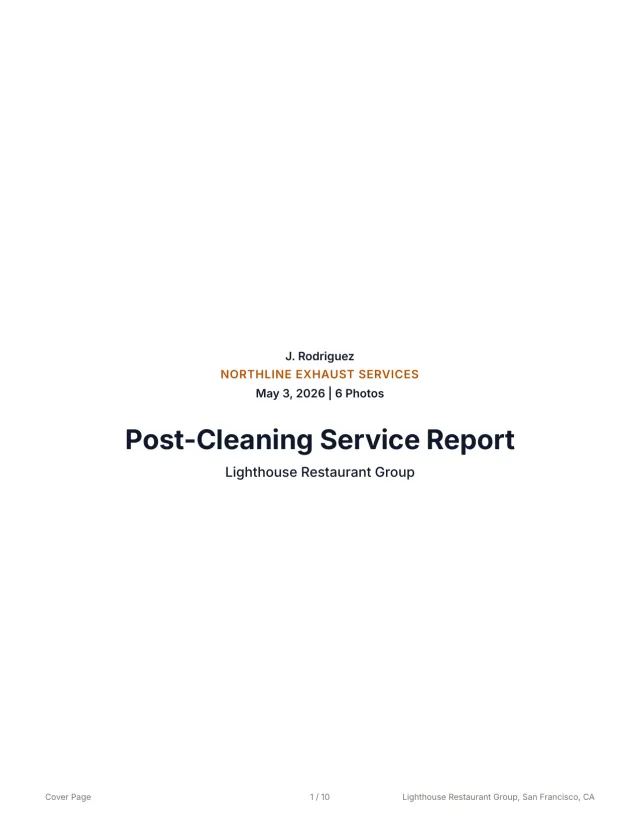 See a finished report The 10-page sample, the Certificate of Service, and the 3x5 sticker from one job.
 Related guides
Keep building the report record
Write missing access panel report notes that document inaccessible ducts, photo evidence, deficiencies, customer next steps, and customer-ready records.
Reporting Restaurant Hood Cleaning Report Template for Multi-Location AccountsUse this restaurant hood cleaning report template to document store details, hood systems, photos, deficiencies, service dates, PDFs, and account handoff.
Reporting Kitchen Exhaust Cleaning Report ExamplesUse kitchen exhaust cleaning report examples to structure job details, before-and-after photos, access notes, deficiencies, signoff, PDFs, and handoff.
Send your next job as a finished report.
Your photos become a branded report, a Certificate of Service, and a 3x5 sticker, under one job number.
3 reports or 3 days free. No card.