A commercial kitchen hood cleaning checklist should help the crew finish the job, capture the right photos, and leave the office with enough information to send a complete report.
The checklist is not just for cleaning. It is the bridge between field work and customer-ready documentation. If the crew misses the fan photos, access notes, or deficiency details, the report becomes harder to defend when a restaurant manager, property manager, insurer, or fire marshal asks for proof.
Use this checklist before, during, and after each kitchen exhaust cleaning job. For code-sensitive documentation, pair it with the commercial kitchen hood code requirements checklist and the NFPA 96 inspection checklist. Generate an NFPA 96 hood cleaning checklist when the crew needs a job-specific list of system areas, photo prompts, access notes, and handoff tasks. For the customer-facing report, start with the free hood cleaning report template generator and use the NFPA 96 report documentation guide to review the supporting fields.
Commercial kitchen hood cleaning checklist
Every crew should leave with the same core record, even when the kitchen layout changes.
At minimum, confirm:
- Job details are complete
- Hood system scope is identified
- Before photos are captured
- Hood, plenum, filters, accessible ducts, fan, and rooftop areas are cleaned according to the approved scope
- Inaccessible areas are documented
- Deficiencies are documented separately from completed work
- After photos match the before photos
- Cleaning frequency and next service notes are recorded
- Customer handoff or signoff is captured
- Report notes are specific enough for the office to send without rewriting the job
If your checklist does not produce a clear report, it is incomplete. The goal is a repeatable closeout, not a loose memory aid.
Commercial kitchen cleaning schedule and checklist
Broader commercial kitchen cleaning checklist searches often come from restaurant operators, but hood cleaning contractors can still use that language when it stays tied to the exhaust system.
A useful hood cleaning schedule checklist should connect three things:
- The field tasks the crew needs to complete
- The documentation the customer needs after the job
- The next service interval the customer should file with the report
Do not turn the hood cleaning checklist into a general restaurant cleaning log. Keep it focused on the kitchen exhaust system: hood, plenum, filters, duct access, exhaust fan, rooftop grease, access limits, deficiencies, photos, and report handoff.
If a customer asks for a printable commercial kitchen cleaning schedule template, send a simple schedule only as a companion to the report. The report should still hold the proof: service date, system scope, before-and-after photos, deficiencies, and next service recommendation.
1. Confirm job details before setup
Start with the information the office, customer, and inspector will need later.
Document:
- Customer name
- Service location name
- Full service address
- Onsite contact
- Work order, invoice, or job number
- Service date
- Arrival time
- Crew lead and technicians
- Service type, such as routine cleaning, inspection, re-clean, or deficiency follow-up
For chain restaurants, schools, hospitals, and property-managed kitchens, add the store number, building number, campus name, or location ID. A clean report can still create confusion if nobody can tell which location it belongs to.
2. Identify each hood system
Before cleaning starts, separate the work by hood system. Do not rely on one generic “kitchen exhaust” note for a building with multiple cooklines.
For each system, record:
- Hood or cookline name
- Number of filters
- Fan location or roof position
- Duct access points used
- Areas included in scope
- Areas excluded from scope
- System labels or customer naming conventions
Examples:
- Main cookline hood, fan EF-1, roof above rear entrance
- Prep hood, fan EF-2, west roof
- Dishwasher hood, not included in grease exhaust cleaning scope
This gives the report a clean structure and keeps before-and-after photos tied to the right system.
3. Capture before photos before anything moves
Photos taken after setup starts are weaker evidence. Capture the condition before filters are removed, panels are opened, or grease is disturbed.
Before photos should include:
- Hood exterior and cookline
- Hood plenum
- Filters
- Grease troughs and cups
- Duct access openings
- Exhaust fan bowl
- Fan blades
- Fan curb
- Rooftop grease conditions
- Grease containment
- Deficiencies or unsafe conditions
- Any area the crew cannot access
Take matching angles whenever possible. A “before fan bowl” photo and an “after fan bowl” photo from the same position are much easier for a customer to understand.
For a complete photo standard, use the before-and-after hood cleaning photos checklist before crews leave the roof or tear down containment.
4. Set up safely and protect the kitchen
The checklist should include setup steps because poor setup often creates customer complaints unrelated to the cleaning itself.
Confirm:
- Cooking equipment is off or protected according to the job plan
- Electrical and gas concerns are handled according to company procedure
- Plastic, floor protection, and containment are in place
- Filters and removable parts have a staging area
- Crew has roof access
- Ladder, roof, and weather conditions are acceptable
- Wastewater and grease handling follow company and local requirements
- Customer areas are protected from overspray, odor, and foot traffic
If setup cannot be completed safely, document the reason and notify the customer before continuing.
5. Clean the hood and plenum
The report should say what was cleaned, not just that the hood was serviced.
Track completion for:
- Hood interior surfaces
- Plenum
- Filter tracks
- Grease troughs
- Grease cups
- Exposed seams and corners
- Removable filters
- Surrounding areas affected by service
Make notes for unusual buildup, damaged filter tracks, missing cups, loose parts, or areas outside the approved scope. Those details become useful when the customer asks why the next service should be sooner.
6. Clean accessible ducts and access points
Duct documentation is one of the most important parts of a commercial kitchen hood cleaning checklist because it shows how far the crew could reach.
For each access point, record:
- Location
- Whether it was opened
- Condition before cleaning
- Condition after cleaning
- Any gasket, latch, damage, or leakage issue
- Whether access was blocked or unsafe
If a duct section cannot be reached, do not hide that note in a general comment. List it as an inaccessible area and explain the next step.
Example:
Vertical duct section above rear cookline could not be fully verified because no access panel was available above the ceiling. Recommend approved access before the next service.
That note gives the customer something specific to approve, repair, or discuss with the authority having jurisdiction.
7. Clean the exhaust fan and rooftop area
Fan and rooftop photos are often the first thing a customer or inspector checks because they show whether the system was serviced beyond the visible hood.
Document:
- Fan bowl before and after
- Fan blades before and after
- Fan hinge or opening condition
- Fan curb
- Fan drain or grease path
- Grease containment condition
- Roof surface affected by grease
- Any fan that could not be opened safely
- Electrical, structural, or weather-related concerns
If the fan cannot be opened, the report should say why. “Fan not cleaned” is not enough. A useful note explains the condition, location, and recommended next action.
8. Separate deficiencies from completed cleaning
Deficiencies should be easy to find in the final report. They are not the same as normal cleaning notes.
Common deficiencies include:
- Missing access panels
- Blocked access panels
- Damaged or missing filters
- Leaking access panels
- Loose or unsafe fan components
- Failed or missing grease containment
- Excessive rooftop grease
- Damaged hinges or hold-open hardware
- Unsafe electrical conditions near the fan
- Heavy grease in areas excluded from the approved scope
For each deficiency, capture:
- Component or location
- Condition found
- Photo evidence
- Why it affects cleaning, access, or operation
- Recommended next step
- Whether follow-up work is needed
Use factual language. The crew does not need to write a code argument in the field. The report needs enough detail for the customer to understand what happened and what to do next.
9. Capture after photos before teardown
After photos should prove completed work and match the before-photo set.
Capture:
- Hood plenum after cleaning
- Filters after cleaning or replacement
- Grease troughs and cups after cleaning
- Duct access openings after cleaning
- Fan bowl after cleaning
- Fan blades after cleaning
- Fan curb after cleaning
- Rooftop grease area after service
- Grease containment after service when included
- Deficiency closeups if the issue remains
Do not wait until the truck is packed. If a photo is blurry, dark, or missing, it is easier to fix before the crew leaves the roof or removes containment.
10. Record frequency and next service notes
The customer needs to know when the system should be serviced again and why.
Record:
- Current cleaning interval
- Recommended next service date
- Reason for any frequency change
- Heavy-volume, charbroiler, wok, solid-fuel, 24-hour, or seasonal operation notes
- Customer or local AHJ requirement when stricter than the normal schedule
For more detail on documentation expectations around NFPA 96, read NFPA 96 hood cleaning requirements. Keep the recommendation practical and defensible. A report can support customer-ready records, but it should not claim to guarantee compliance.
For customer-facing interval language, use the guide to kitchen exhaust cleaning frequency and next service dates or the free kitchen exhaust cleaning frequency calculator.
Before sending the final record, use the commercial kitchen exhaust documentation grader to check that scope, access notes, photo evidence, deficiencies, frequency, and customer handoff details are all represented.
11. Close out with the customer
Before leaving, confirm the customer-facing handoff details.
Closeout should include:
- Completion time
- Technician completion note
- Customer or onsite contact acknowledgement
- Open deficiencies discussed
- Areas that could not be accessed
- Next service recommendation
- Photos and notes synced for office review
- Report delivery method, such as PDF, email, or share link
Good closeout notes reduce callbacks. They also stop the office from guessing what the crew meant after the truck has already left.
Crew report note examples
Use notes that describe the work clearly.
Strong notes:
- “Cleaned main cookline hood, plenum, filters, vertical duct access, fan bowl, fan blades, and fan curb. Before-and-after photos attached.”
- “Prep hood filters and plenum cleaned. No duct access found above ceiling. Inaccessible area documented for customer review.”
- “Heavy grease observed in EF-1 fan bowl before service. Fan bowl and blades cleaned. Recommend shorter interval due to charbroiler volume.”
Weak notes:
- “Done.”
- “Cleaned hood.”
- “Needs access.”
- “Bad fan.”
If a note would not make sense six months later, rewrite it before the report is sent.
Send a report that matches the checklist
The field checklist should turn into a clean report without extra office cleanup.
Before sending, confirm the final report includes:
- Job details
- System scope
- Before-and-after photos
- Areas cleaned
- Access notes
- Inaccessible areas
- Deficiencies
- Frequency recommendation
- Technician notes
- Customer signoff
- PDF or share link
HoodCleaningReport helps kitchen exhaust cleaning contractors turn crew photos, field notes, deficiencies, access limits, and signoff into branded reports, PDFs, and client share links.
You can review a sample report, use the free hood cleaning report template generator, compare hood cleaning report software, read the commercial kitchen hood code requirements checklist, or create a hood cleaning report when you are ready to turn field checklists into customer-ready documentation.
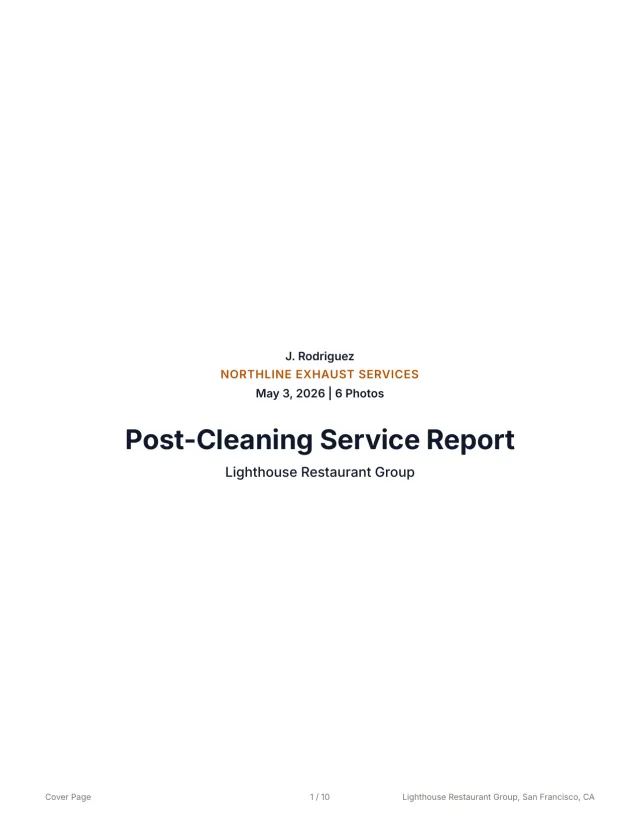 See a finished report The 10-page sample, the Certificate of Service, and the 3x5 sticker from one job.
 Related guides
Keep building the report record
Follow a kitchen exhaust cleaning documentation workflow from roof access and system scope to photos, deficiencies, service dates, and customer handoff.
Operations Hood Cleaning Job Closeout Checklist for ContractorsUse this hood cleaning job closeout checklist to verify photos, scope, deficiencies, next service dates, and customer report delivery before the crew leaves.
Operations How to Standardize Reports Across Multiple Hood Cleaning CrewsUse this hood cleaning crew checklist to standardize field photos, notes, deficiencies, quality review, and customer-ready reports across every truck.
Send your next job as a finished report.
Your photos become a branded report, a Certificate of Service, and a 3x5 sticker, under one job number.
3 reports or 3 days free. No card.